AI Chart Recap
AI Chart Recap generates a recap of an individual chart, bringing together treatment and charted image details, clinical documentation, and follow-up information into a single, easy-to-review summary.
Instead of reviewing every section of a completed chart individually, providers can quickly review the most important details from the visit before finalizing documentation.
Note: AI Chart Recap is available for businesses on an Essentials or higher MeevoMD subscription.
How AI Chart Recap Works
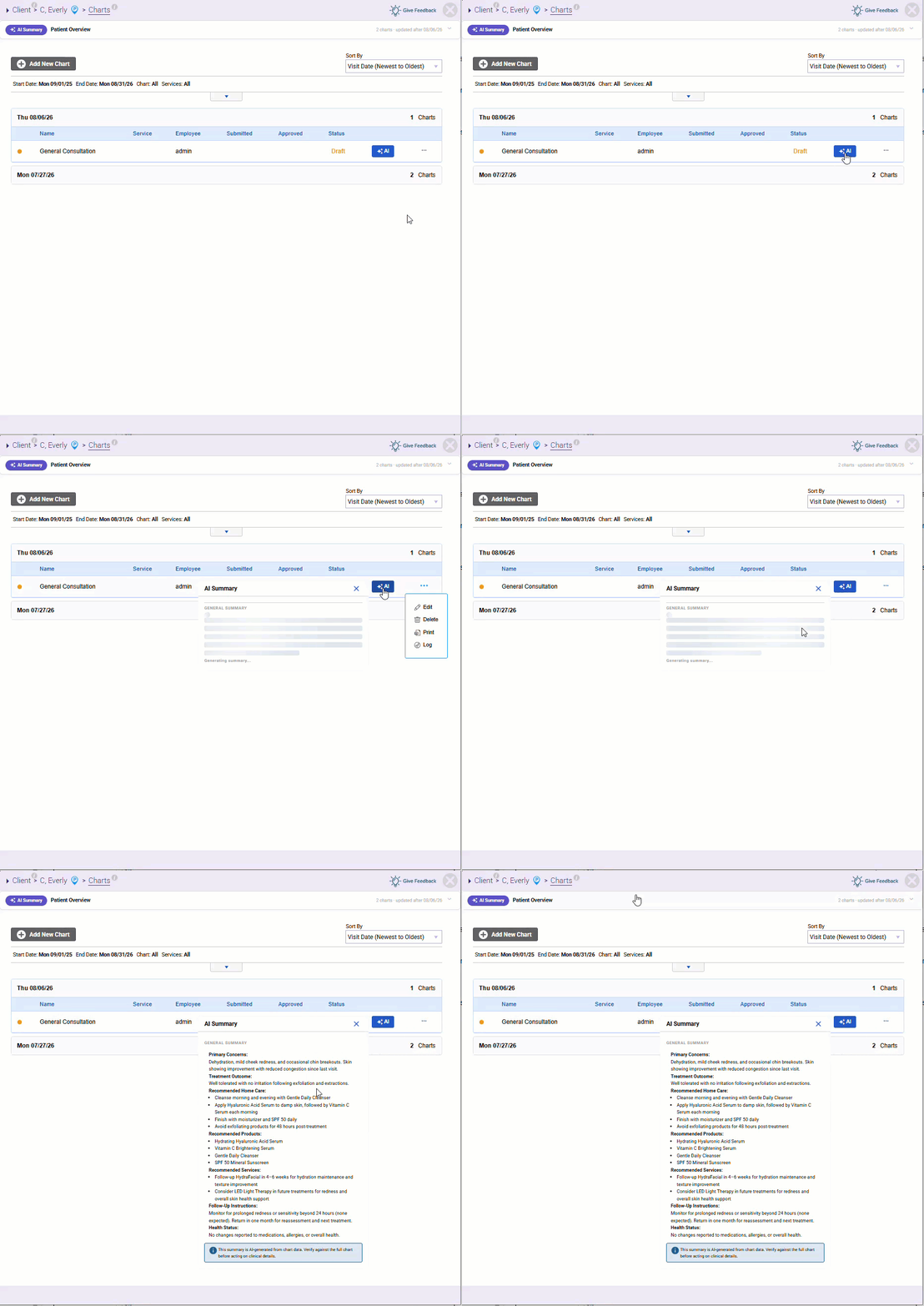
After documenting a client visit, select AI Summary to generate a recap of the current chart. Meevo analyzes the information currently documented in the chart and displays a concise summary in a pop-up panel. As chart information is updated, AI Chart Recap automatically reflects those changes so the recap remains current throughout the charting process.
Tailor AI Summaries for Different Employee Roles
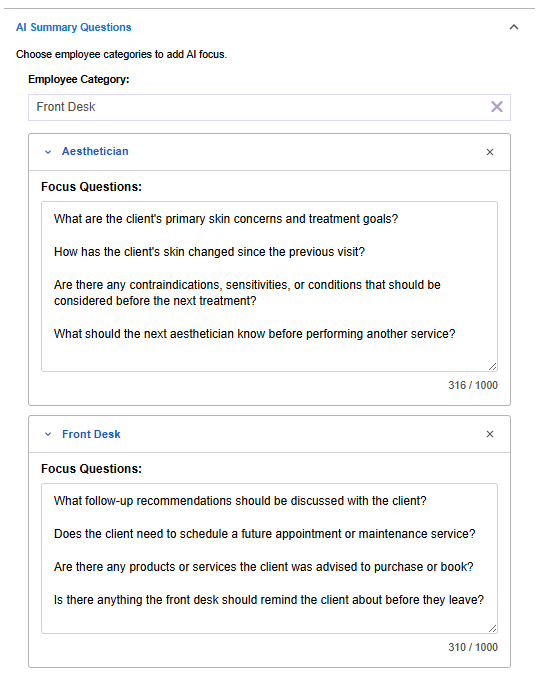
You can configure AI Summary Questions within Chart Definitions to guide what information AI emphasizes for different employee categories.
For example, Providers may focus on treatment plans and clinical observations, while Front Desk staff may prioritize follow-up recommendations and future appointments. This allows each employee to see the information that's most relevant to their role while reviewing the same chart.