Understanding Online Listings Management
What do the listing statuses mean?
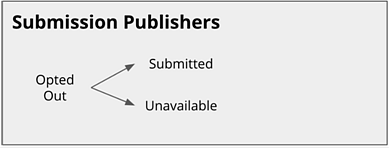
Publishers can be divided into two groups: Submission Publishers and Dual Sync Publishers. This is important, as the statuses that can appear for a publisher depend on that publisher type.
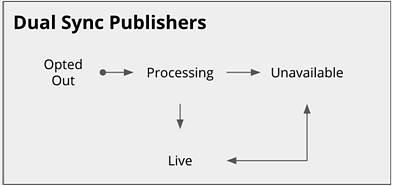
Most publishers are Dual Sync Publishers, meaning they accept data from Meevo and they provide Meevo with analytical data, that is presented through Online Presence Management.
On the other hand, Submission Publishers only accept data from Meevo; they do not send any analytics back. Some examples of Submission Publishers are Amazon Alexa, Apple, Snapchat, and Uber. You can consider syncs with these publishers to be "one-way syncs."
See Yext's Help article Listing Statuses for complete details on statuses and what they mean.
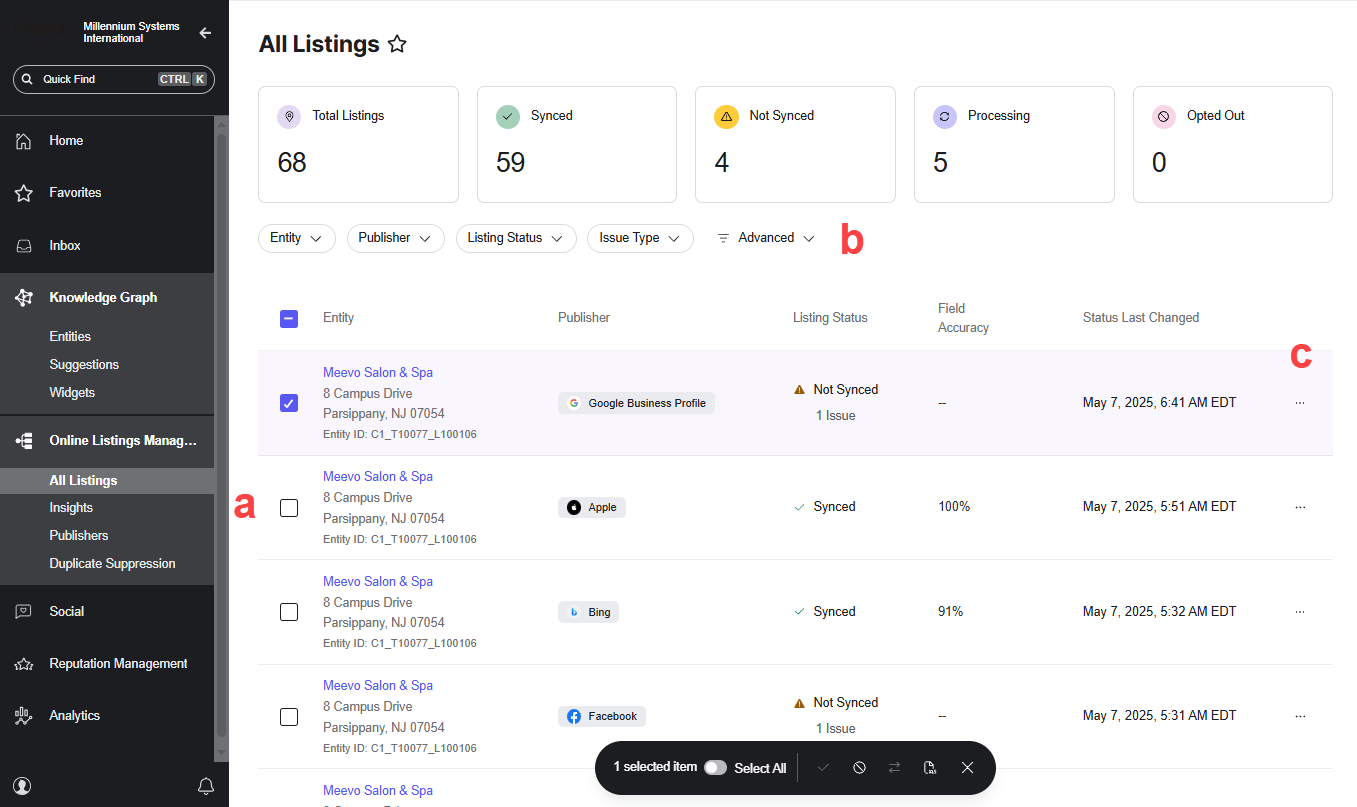
- Online Listings Management navigation tabs:
- All Listings: This tab is where you can quickly monitor and review your listings to see information that appears on a publisher's site. From here you can check on your connection status with each publisher and obtain details on how to resolve "Unavailable" statuses.
- Insights: Offers a number of out-of-the-box metrics that are built to provide a high-level overview of your review performance.
- Publishers: A summary page that displays various metrics and potential action items related to your listings.
- Duplicate Suppression: Use this tab to review potential duplicate listings in the platform and take action on them if needed.
- Filter the sites that appear in the list using these filter tags.
- Select the ellipsis and then select View Listing to open and view your listing on the publisher's site.