Meevo Logins and Passwords
Where are Meevo login and password options?
In Business Preferences, the Account and Password section is where you set up password options and lockout criteria. You can also set up lockout criteria and reset passwords from the employee's profile.
What happens if an employee forgets their password?
If an employee forgets their password, you can reset it from the employee profile's Force password change option. The next time the employee logs in while this checkbox is selected, the employee will be forced to change their password. Once the password has been changed, this box is automatically deselected.
To log into Meevo
A user name and password are required to log into Meevo; both are created in the employee's profile.
Note: Only active employees can log into Meevo. Inactive or Deleted employees cannot log into Meevo until they are active.
- Open the Meevo login page. Your URL should look like this:
login.meevo.com/####
If you cannot locate your tenant ID or login URL, please contact Business Support for assistance.
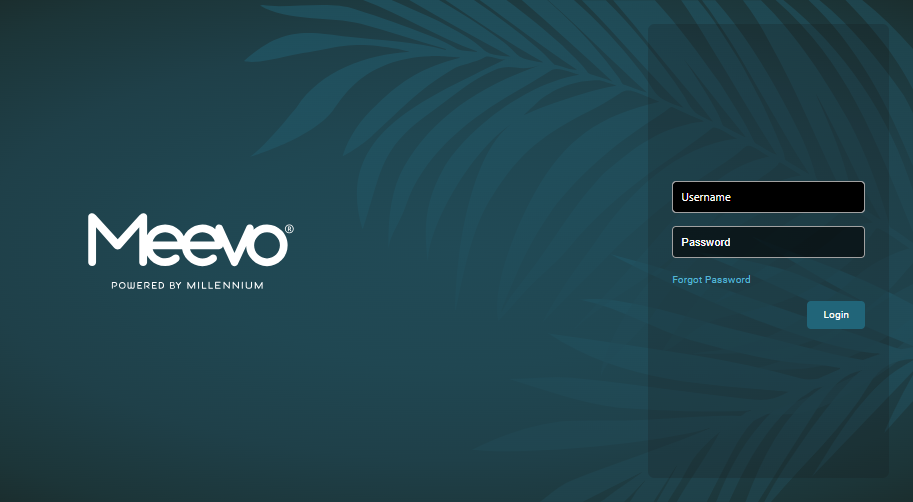
- Enter your username and password.
- Select OK to log in.
To log out of Meevo
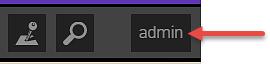
- Select your username in the upper-right corner.
- Select Log Out to log out.
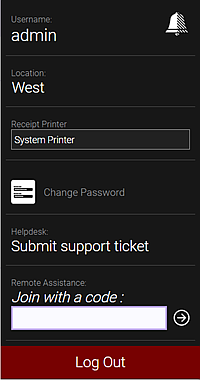
To change a password
If you remember your current password, you can change it after logging into Meevo.
- Log into Meevo.
- Select your username in the top-right corner of Meevo.
- Select Change Password.
- Complete the Change Password form and select OK when finished. The password is changed immediately.
To force a password change
- In the profile of the employee whose password needs to be changed, select Force password change. Any user who has security to edit an employee profile can enable this checkbox.
- Save the profile.
- The next time that employee logs in, they will be forced to change their password.
- After the password is changed, the Force password change checkbox will be automatically deselected.
To reset a forgotten password
If you forgot your current password, you can reset it from the Meevo login page.
Note: To change the password of an employee other than yourself, open the employee's profile and select Change Password under Login Credentials.
- Open the Meevo login page.
- Select Forgot Password and enter your registered email address.
- Check your registered email for a reset password link from Millennium. The reset password link expires 24 hours after the email was sent.
- Follow the on-screen prompts to immediately change your password.