Mapping Employees from ADP to Meevo
(Applies to RUN, WFN, and Wisely)
Mapping ensures that data associated with the employee in Meevo will remain associated with that employee in the ADP platform.
- If you have not already, follow the steps in the appropriate topic for your integration:
- From the ADP Integration Settings page in Meevo, select the Employees tab.
- The column on the left lists all active employees in ADP. The column on the right is the corresponding (mapped) Meevo employee profile.
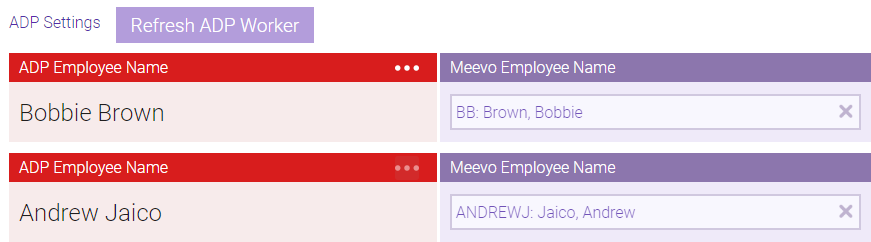
- Any employees that are not mapped here will be excluded from data that is sent to ADP.
- To refresh the list of ADP employees, select Refresh ADP Worker while not in Edit mode.
- In the Workforce Now integration, the employee's payroll file number is also listed beside their name.
- To view details about the employee, select the ellipsis (...).
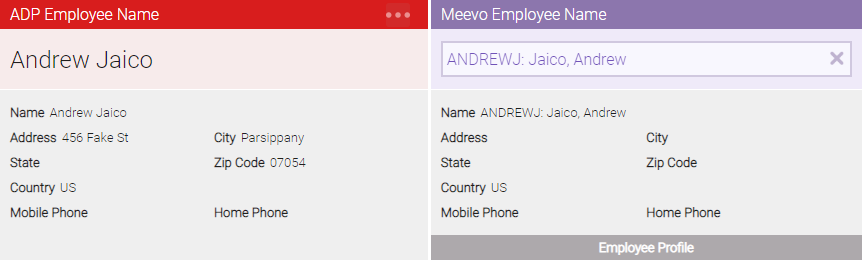
Note: If you update an employee's profile data (address, phone number, etc.) in Meevo, the information is not automatically updated in ADP. You will need to manually update the employee's information in your ADP platform.
- When finished, select Save.