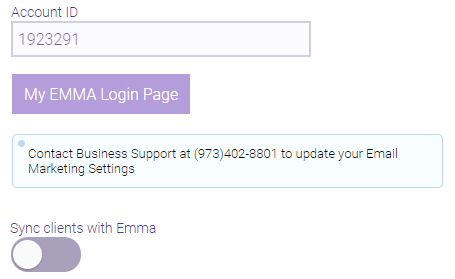
Turning Off the Email Marketing Integration
Important: Do not toggle the Email Marketing sync off and on as a troubleshooting step. Turning off the sync will purge ALL contacts in the account (both contacts that were synced through Meevo AND manually imported contacts). When the sync is turned back on, the contacts will sync over again, but Email Marketing will see them as NEW contacts. This may cause your business to incur contact overages for that month.
What happens when I turn off the Email Marketing integration?
When you turn off the integration by toggling the "sync" switch, nothing happens in Meevo or Email Marketing until the following day. On the following day:
- The daily 6 am sync will not occur anymore. No more syncs occur between Meevo and Email Marketing until the switch is flipped back on.
- Email Marketing will archive and delete all of your clients in Emma, even clients that were imported or manually created.
- Groups and Segments remain in Email Marketing, but they will be empty because all contacts were deleted. Campaigns, Automations, etc. will also remain.
- Once a contact is deleted, all of their data is removed, including any associations with existing Segments and Groups. See Email Marketing's Self-Help topic How To Add, Edit, Archive, Delete, & Restore Contacts for more details on the consequences of deleting contacts.
- Remember, you can always choose to turn the integration back on in the future, but the daily sync will not occur until the following day.
To turn off the Email Marketing integration
- Go to Marketing > Email Marketing.
- Flip the "sync" switch to the "off" position to turn off the integration.