Viewing Supply Costs and Usage History
Note: Supply costs are calculated based on a product's wholesale cost according to the product definition. However, inventory value is determined by looking at the wholesale value of an item at the time it was received, counted, sold, etc.
To view Supply Costs
- In Employee Supply Usage, select Supply Costs from the bottom-left of the screen. Note that this button appears only if there are products in the list.

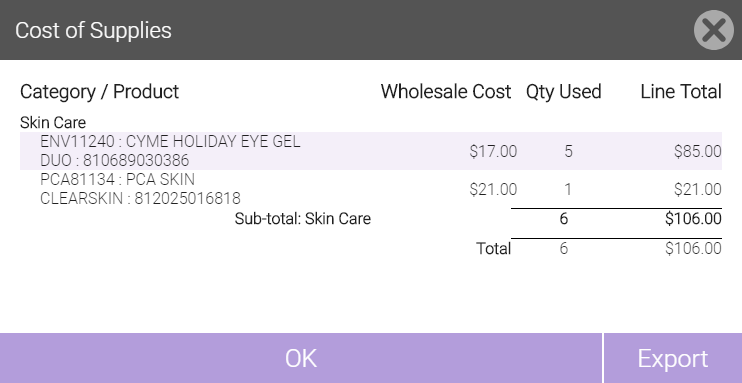
- A Cost of Supplies window appears, detailing the total cost to your business of products used by employees. Select Export to export this list to an Excel file.
To view supply records
- In Employee Supply Usage, you can use the slideout pane on the right to view existing records. Select the arrow on the right side of the screen at any time to expand or minimize the filter pane.
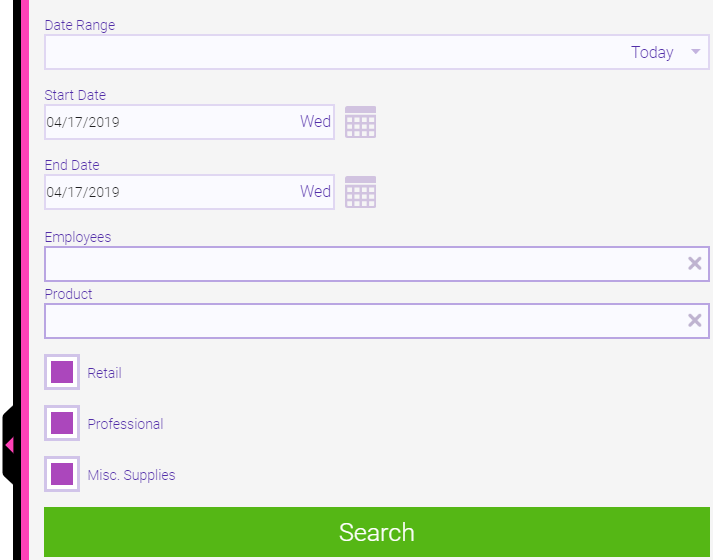
- Select a predefined date range from the slideout menu, or specify a custom date range in the Start Date and End Date fields. The longest searchable date range is 90 days, unless filtering by product, in which case there is no restriction on date range.
- Search by specific Product or Employee, or filter the list by Retail, Shop Supply, or Misc. Supplies products.
- Select Search to filter the list.
- In the results, each row displays the date, product, employee (if any), and quantity removed. A negative quantity indicates an "undo," that is, product that was returned to the on-hand count.