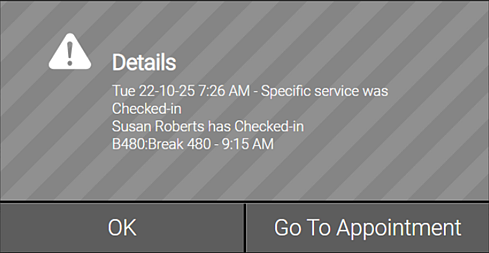
Viewing Alerts
- Your user name in the top-right corner of Meevo glows when there is at least one unread alert.
- After selecting the user menu, you'll notice a glowing bell with a number indicating how many new alerts you have to view.
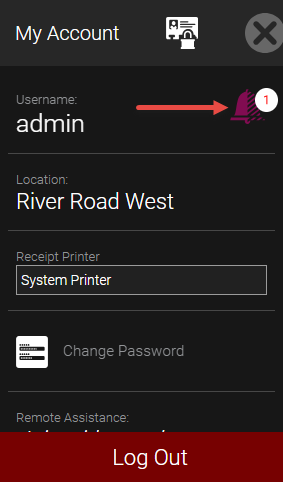
- Select the bell to open the Alerts Log. New alerts that have not yet been viewed appear in the default view.

- View an alert's details by selecting anywhere in the alert's row. Once an alert is viewed, it is removed from the default view and can be viewed again using the search filters.
Note: You must view an alert's details as described here to remove the alert from the username menu's bell icon.