Deleting a Review
There are two types of reviews in Yext: third-party and first-party.
- First-party reviews are collected directly by your business. Depending on your permissions, you can either remove first-party reviews yourself or flag them for Yext to remove.
- Third-party reviews are written on external sites like Google, Facebook, or Yelp.
Note: Yext does not allow you to delete third-party reviews. If you want a third-party review removed, you’ll need to contact the original publisher. For more information about removing a review on Google, see Remove reviews from your Business Profile on Google.
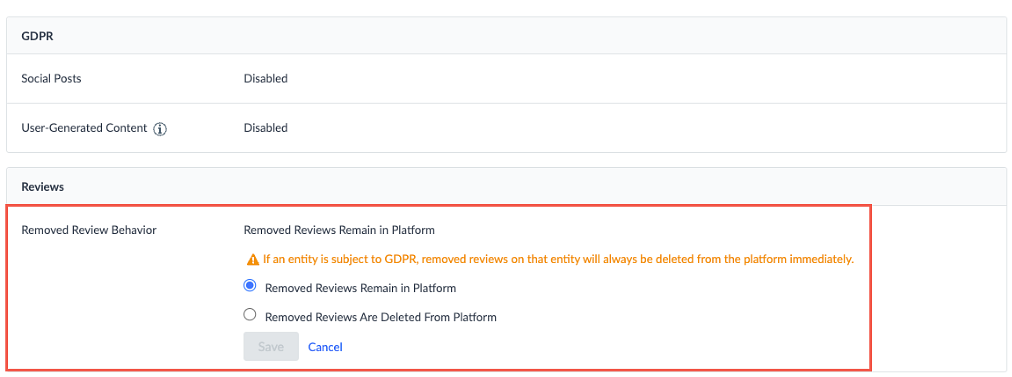
However, you can manage how third-party reviews behave in Yext when they’re deleted from the publisher. By default, a deleted review will still appear in Yext and be marked as “Removed.” You can choose to either keep it with this label or remove it from Yext entirely.
- Go to Meevo > Marketing > Online Presence Management or type onlinepresencemgmt into the Convobar.
- Click the Account Details icon in the bottom-left of the navigation bar and click Account Settings.
- Click Compliance.
- Select your desired option in the Removed Review Behavior section.
- Click Save.
- If you selected to have removed reviews deleted from the platform, a dialog box will appear. Click Delete Removed Reviews to save this as your default behavior.