Viewing Schedule and Timesheet Summaries
When logged into the Time Clock, you can view a summary of your schedule and timesheet.
- Type timeclock into the Convobar, or go to Meevo > Schedules > Time Clock.
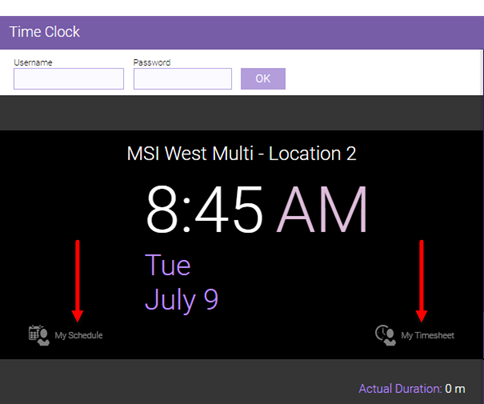
- Enter your username and password to log into the Time Clock and select OK. A welcome message appears below the login fields, and My Schedule and My Timesheet appear.
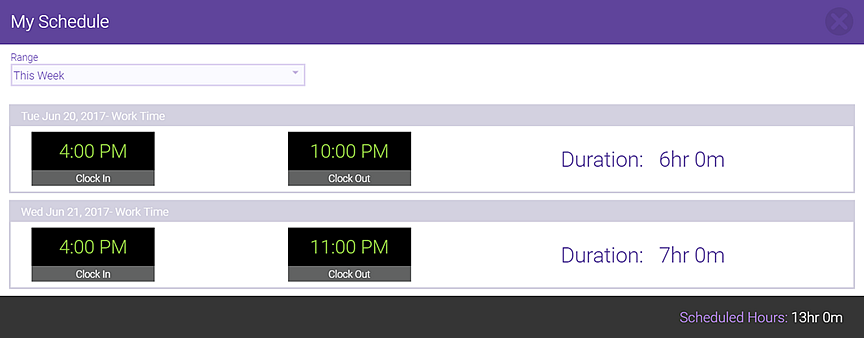
To view your schedule
- Select My Schedule.
- Select a Range. The schedule appears the date and work activity, and your scheduled clock in and clock out times. To view your actual clock in and clock out times, see My Timesheet.
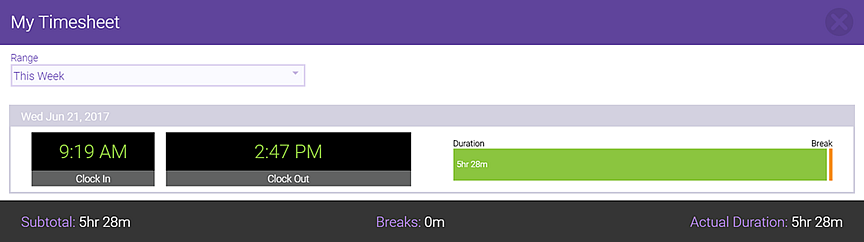
To view your timesheet
Note: If clocked in, you can clock out via this view by selecting Clock Out.
- Select My Timesheet.
- Select a Range. All of your Time Clock actions appear in this list, including clock ins, clock outs, and breaks.