COMA215: FOV by Service Category (Interactive)
The COMA215 allows multi-location businesses to see how well each location is rebooking clients. This data can help you understand customer loyalty and business efficiency, as well as help inform an overall growth strategy.
Tip: Run the COMA215 monthly or quarterly to monitor how well your employees are rebooking clients and encouraging frequent visits.
Report definitions
The data in interactive reports is accurate up to the end of the previous day. For column definitions in the COMA215, see MA215: FOV by Service Category.
Tip: See Working with Interactive Reports for details on customizing on-screen data.
Setting up the COMA215 report
- Type COMA215 in the Convobar, or go to Meevo > Reports > Analytical, and then select the COMA215 report.
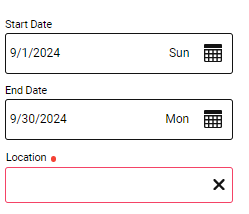
- Enter a date range for the data by selecting a Start Date and End Date. There is no limitation on date ranges; you can make the range as long or short as you'd like.
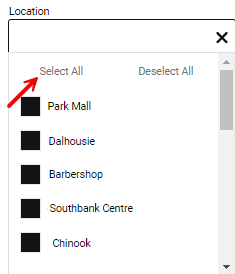
- Select the locations whose data you want to see. You can use the Select All Locations button to quickly select all locations in the list.
- When ready to view your data, select Load Data from the bottom of the setup pane.