Clocking Out
Can Meevo automatically clock out an employee who never clocked out?
Yes! In Business Settings > Payroll Settings, enable Automatically clock out employees who have clocked in but not clocked out for their scheduled time.
When this option is enabled, Meevo will clock out the employee automatically during a maintenance job that is run every night at midnight, local time.
- If the employee was scheduled to work that day and forgot to clock out, then Meevo clocks out the employee according to the end time on the schedule. This is true regardless of which Work Activity was selected during clock in.
-
If the employee was not scheduled to work that day and forgot to clock out, then Meevo clocks out the employee according to the close of business hours defined in Business Information. If the business has no closing hours for that day – for example, if the business is closed – then the employee is clocked out at 11:59 pm.
To clock out
Note: If a future time clock event was added for an employee through Schedule Manager, that employee's time for the day can only be managed through Schedule Manager.
- Type timeclock into the Convobar, or go to Meevo > Schedules > Time Clock.
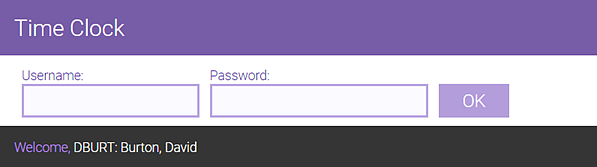
- Enter your username and password to log into the Time Clock and select OK. A welcome message appears below the login fields.
- Select Clock Out. The clock-out time appears in the right pane. Also notice that the Clock Out button darkens, indicating that it cannot be selected again.
Note: Alternatively, you can clock out via your timesheet view. See To view your timesheet for more information.
- As a best practice and for security reasons, select Log Out when finished so that the next employee can log in and enter their time clock events.
